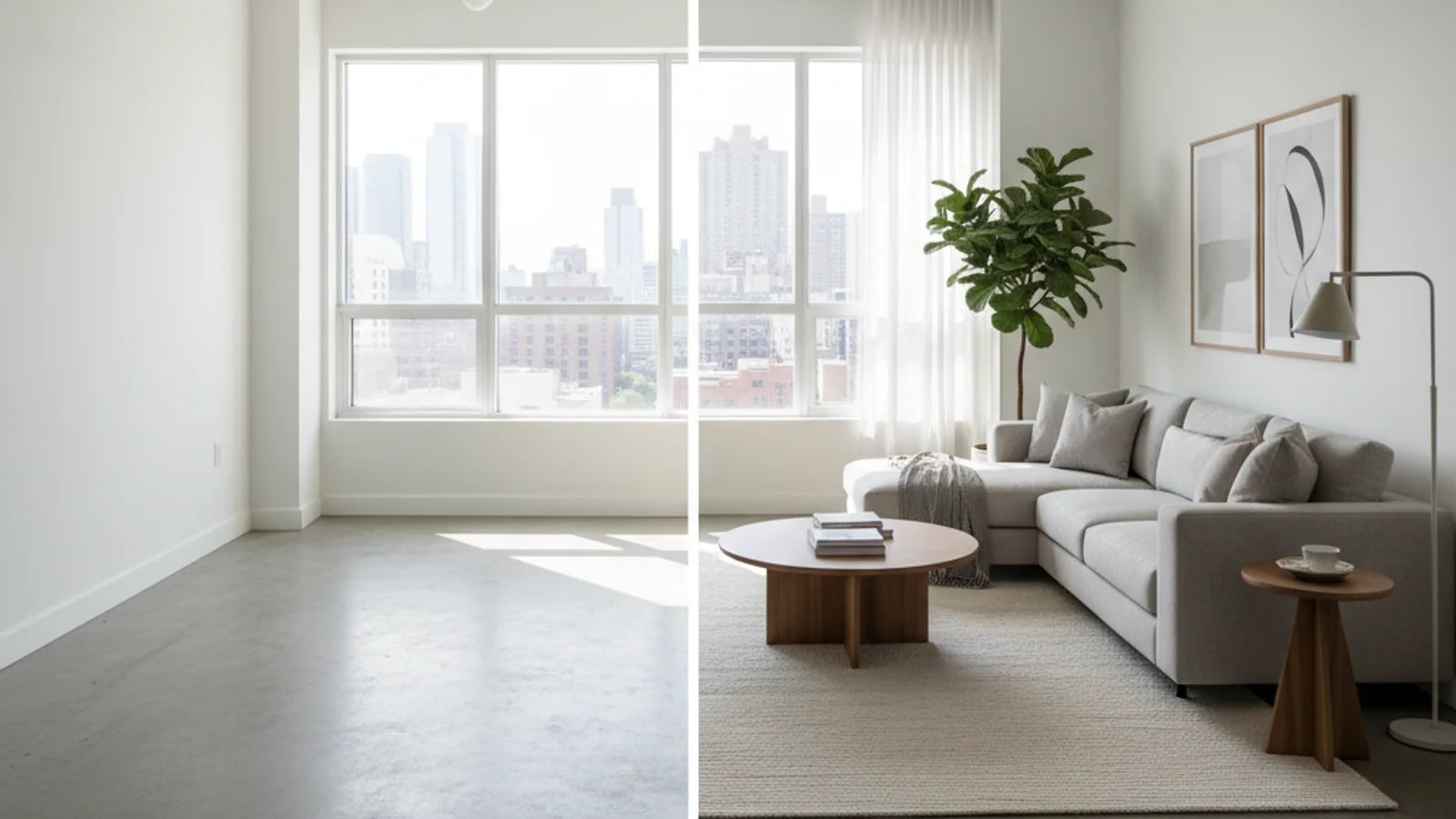
Virtual staging has transformed from a niche editing service into a core listing tool that agents, photographers, and brokerages use every day. A well-staged image sells a lifestyle — and virtual staging delivers that at a fraction of the cost and time of physical staging. But the landscape is crowded with tools, pricing models, and approaches that vary dramatically in quality. This guide covers everything you need to make informed decisions about virtual staging in your listing workflow.
What virtual staging actually is (and is not)
Virtual staging is the process of digitally adding furniture, decor, and design elements to photographs of empty or under-furnished rooms. Unlike physical staging — which requires renting, delivering, and arranging actual furniture — virtual staging happens entirely in software. The input is a high-quality photograph of the room; the output is the same photograph with realistic furniture, art, plants, and accessories composited into the scene.
Modern virtual staging uses AI to understand room dimensions, lighting conditions, and perspective. This allows the software to place furniture that correctly scales to the room size, respects sight lines, and matches the existing lighting — producing images that are credible enough for MLS listings, portal feeds, and buyer marketing.
What virtual staging is not: it is not a replacement for clean, well-lit source photography. A blurry, dark, or cluttered source photo will produce a poor staging result regardless of the software quality. The best staging outcomes start with sharp, well-exposed, and properly composed listing photos — ideally enhanced first with AI photo enhancement to correct exposure, white balance, and verticals.
How AI-powered virtual staging works
AI virtual staging uses computer vision models trained on millions of interior design photographs. When you upload a room photo, the system detects walls, floors, windows, and depth. It then places 3D furniture models into the scene, matching the detected perspective, lighting direction, and scale. The result is composited back into the original photograph so it looks like the furniture was actually there.
The quality of the output depends on three factors: the quality of the source photo, the sophistication of the AI model, and the design curation (style selection, furniture appropriateness for the room size and market). The best systems combine automated AI processing with optional human review to catch perspective errors and furniture scale issues before delivery.
This technology sits at the intersection of several AI capabilities that real estate professionals now use regularly — from AI furniture removal for decluttering occupied rooms to exterior retouching for curb appeal enhancement. Together, they form a complete digital listing preparation stack.
Compliance, disclosure, and MLS rules
The most important rule of virtual staging is transparency. Most MLS platforms require virtually staged images to be clearly labeled as such, and many recommend or require posting the original unstaged photo alongside the staged version. The goal is to show buyers the property's potential without misleading them about what is physically present.
Disclosure requirements vary by market, but the industry trend is toward standardization. Always check your local MLS guidelines, include a visible "Virtually Staged" watermark or caption on staged images, and ensure the staging is used to show design potential rather than to hide material defects. If you are unsure about the rules in your market, starting with transparent labeling is always the safest approach.
Choosing virtual staging software
The virtual staging software market has matured significantly. The best tools now offer realistic furniture placement, style variety, fast turnaround, and integration with the broader listing preparation workflow. When evaluating options, focus on image realism (do the staged photos look believable?), turnaround time (can you get images back within your listing prep window?), and workflow integration (does the tool connect to photo enhancement, decluttering, and video?).
For a detailed comparison of the leading platforms, see our pricing guide and software comparison.
Virtual staging as part of a complete listing media strategy
The highest-performing listings use virtual staging as one piece of a broader media strategy. The sequence typically looks like this: capture clean, well-lit source photos → enhance them with AI photo correction → virtually stage key rooms → create a property video from the complete photo set → publish across portals with consistent, professional visuals at every touchpoint.
Agents who treat virtual staging as an isolated step miss the compound benefit of a unified media approach. When the same property is presented with consistent quality across still photos, staged visuals, and video, buyer confidence increases — and that confidence shows up in showing requests and offer quality.
Frequently Asked Questions
What is virtual staging and how does it work?+
Virtual staging is the process of digitally adding furniture and decor to photographs of empty or under-furnished rooms. AI-powered software analyzes the room's dimensions, perspective, and lighting, then places realistic furniture models into the scene to create a furnished version of the photograph. The result is a visually compelling image that helps buyers imagine living in the space — delivered in hours rather than weeks and at roughly one-tenth the cost of physical staging.
Is virtual staging allowed on the MLS?+
Yes, most MLS platforms allow virtually staged images when they are clearly labeled as such. Best practice is to always include the original unstaged photo alongside the staged version and to add a visible 'Virtually Staged' label. Check your local MLS guidelines for specific requirements in your market.
How much does virtual staging cost per photo?+
Virtual staging typically costs $15-50 per image depending on the provider, turnaround time, and design complexity. Volume and subscription pricing can bring the per-image cost lower for agents and teams who stage regularly. See our detailed pricing guide for a full breakdown.